
Advanced Applications of Agents in the Skills Era
Abstract
This document covers three main questions:
- What exactly are Skills?
- How to install, create, and use Skills?
- What are some recommended Skills and resource libraries?
1. What are Skills?
Skills package instructions, trigger conditions, reference materials, and script resources for high-frequency tasks into reusable capability modules, enabling Agents to complete tasks with less context and greater stability.
Reference video: https://www.bilibili.com/video/BV162cPzhEGU/
To understand Skills, let's look at the entire Agent usage chain:
- Prompt: Direct instructions to AI
- Structured Prompt: More complete specification of task objectives, constraints, and output format
- Command: Sedimenting repeatedly used prompts into fixed instruction files
- System Prompt: Setting long-term behavioral rules for a project or environment
- Metadata: Using brief descriptions to help the model quickly determine which files to read
- References / Scripts: Separating detailed instructions and executable scripts for on-demand loading
- Skill: Organizing all the above into a complete, reusable capability unit
Skills are not "longer prompts" but "structured task encapsulation". Their goal is not to stuff all knowledge into context at once, but to reduce token consumption through metadata and on-demand loading mechanisms. A useful Skill should tell the Agent both "when to use it" and "how to do it specifically".
In a typical Skills structure:
SKILL.mddeclares what this capability is, what tasks it applies to, and what steps to follow during executionreferences/contains detailed knowledge and documentationscripts/contains directly callable code or scriptsassets/contains templates, icons, styles, sample materials, and other output resources
2. Installation, Creation, and Usage of Skills
1. Different Tools Supporting Skills Have Different Paths
| Tool | Skills Documentation | Global (User-level) Path | Project-level Path |
|---|---|---|---|
| Claude Code | code.claude.com/docs/en/skills | ~/.claude/skills/ | .claude/skills/ |
| Codex | developers.openai.com/codex/skills | ~/.codex/skills/ | .codex/skills/ |
| Gemini CLI | geminicli.com/docs/cli/skills | ~/.gemini/skills/ | .gemini/skills/ |
| Opencode | opencode.ai/docs/skills | ~/.config/opencode/skill/ or ~/.claude/skills/ | .opencode/skill/ or .claude/skills/ |
| AMP | ampcode.com/news/agent-skills | ~/.config/agents/skills/ or ~/.claude/skills/ | .agents/skills/ or ~/.claude/skills/ |
| CodyBuddy | copilot.tencent.com/docs/cli/skills | ~/.codebuddy/skills/ | .codebuddy/skills/ |
| Antigravity | geminicli.com/docs/cli/skills | ~/.gemini/antigravity/skills/ | .agent/skills/ |
| VS Code | code.visualstudio.com | ~/.copilot/skills/ or ~/.claude/skills/ | .github/skills/ or .claude/skills/ |
| Cursor | cursor.com/cn/docs/context/skills | ~/.cursor/skills/ or ~/.claude/skills/ | .cursor/skills/ or .claude/skills/ |
| Qwen Code | Qwen Code: AI Coding Agent Documentation | ~/.qwen/skills/ | .qwen/skills |
| Qoder | docs.qoder.com/cli/Skills | ~/.qoder/skills/ | .qoder/skills |
| Trae | trae.ai/blog/trae_tutorial_0115 | ~/.trae/skills/ | .trae/skills/ |
| Windsurf | docs.windsurf.com | ~/.codeium/windsurf/skills/ | .windsurf/skills/ |
| Kilo | kilo.ai/docs/agent-behavior/skills | ~/.kilocode/skills/ | ~/.kilocode/skills/ |
| Factory | docs.factory.ai/cli/configuration/skills | ~/.factory/skills/ | .factory/skills/ |
| Goose | block.github.io/goose | ~/.config/goose/skills/ or ~/.config/agent/skills/ or ~/.claude/skills/ | .goose/skills/ or .agent/skills/ or .claude/skills/ |
2. Three Ways to Install Skills
Method 1: Let AI Help You Install Directly
This is the easiest method. You just need to tell the Agent:
Help me install {skill-name}, the skill's project address is: {skill project address}
This is suitable when:
- You already know which Skill to install
- You don't want to manually find directories and handle file hierarchies
- The current Agent itself has sufficient file operation capabilities
Method 2: Install via Plugin Marketplace
Taking Claude Code as an example:
- Enter
/plugin - Add the official marketplace:
anthropics/claude-plugins-official - Find the target skill in the marketplace
- Select installation scope and complete installation
There are 3 installation scopes:
- User scope: Globally effective
- Project scope: Effective for all users of the current project
- Local scope: Only effective for your personal environment in the current project
Method 3: Manual Installation
This is the most universal method, especially suitable for IDE and CLI tools.
- Find the skills directory specified by the tool
- Create the corresponding folder
- Drag the entire directory of the target skill into it
- Maintain correct directory hierarchy
If a niche Skill only provides a version for one Agent and you want to use it for another, you can first put it in the directory, then ask the current Agent to help you rewrite it into an adapted version.
3. How to Create Skills
You can let Agents help you create Skills directly:
- First, roughly organize existing documentation, commonly used scripts, and reference materials
- Then let the Agent help you complete the structure, polish the descriptions, and transform it into Skill format
4. How to Use Skills
- Agent automatically loads on demand
- User explicitly specifies which Skill to use
3. Recommended Skills and Resource Libraries
1. Superpower
https://github.com/obra/superpowers
It's essentially a mature software development workflow. Its value lies not just in "brainstorming" but in modularizing the entire process from idea to delivery.
Its workflow includes:
- brainstorming: Transforming vague ideas into structured designs
- using-git-worktrees: Establishing independent workspaces for different features to reduce interference
- writing-plans: Breaking work into clear small tasks with file paths, code, and verification steps
- Execution: Can follow subagent-driven-development or executing-plans routes
- test-driven-development: Adhering to the RED-GREEN-REFACTOR TDD cycle
- requesting-code-review: Code review by severity level
- finishing-a-development-branch: Verification, merging, or cleanup after task completion
2. planning-with-files
https://github.com/OthmanAdi/planning-with-files
The core idea of this Skill is using the file system as AI's external working memory to alleviate limited context windows and goal drift issues.
It mainly uses 3 Markdown files to manage tasks:
task_plan.md: Records phases and progressnotes.md: Records research findings and process information[deliverable].md: Consolidates final outputs
3. find-skills
- Project address: https://github.com/vercel-labs/skills/tree/main/skills/find-skills
- skills.sh details page: https://skills.sh/vercel-labs/skills/find-skills
This is "a Skill for finding Skills". Its value is straightforward: when you know you need a certain capability but don't know where existing Skills are, you can use it for retrieval first.
4. research-paper-writing
https://github.com/Master-cai/Research-Paper-Writing-Skills/tree/main/research-paper-writing
This is a Skill for academic writing.
5. Skills Resource Libraries
Claude Code Official Skills Library
Claude Code's official Skills library has two versions, released at different times, with some overlapping Skills:
- Earlier: https://github.com/anthropics/skills
- Latest: https://github.com/anthropics/claude-plugins-official
Four highly-starred awesome-claude-skills repositories on GitHub:
- https://github.com/ComposioHQ/awesome-claude-skills
- https://github.com/travisvn/awesome-claude-skills
- https://github.com/BehiSecc/awesome-claude-skills
- https://github.com/VoltAgent/awesome-claude-skills
Skillsmp
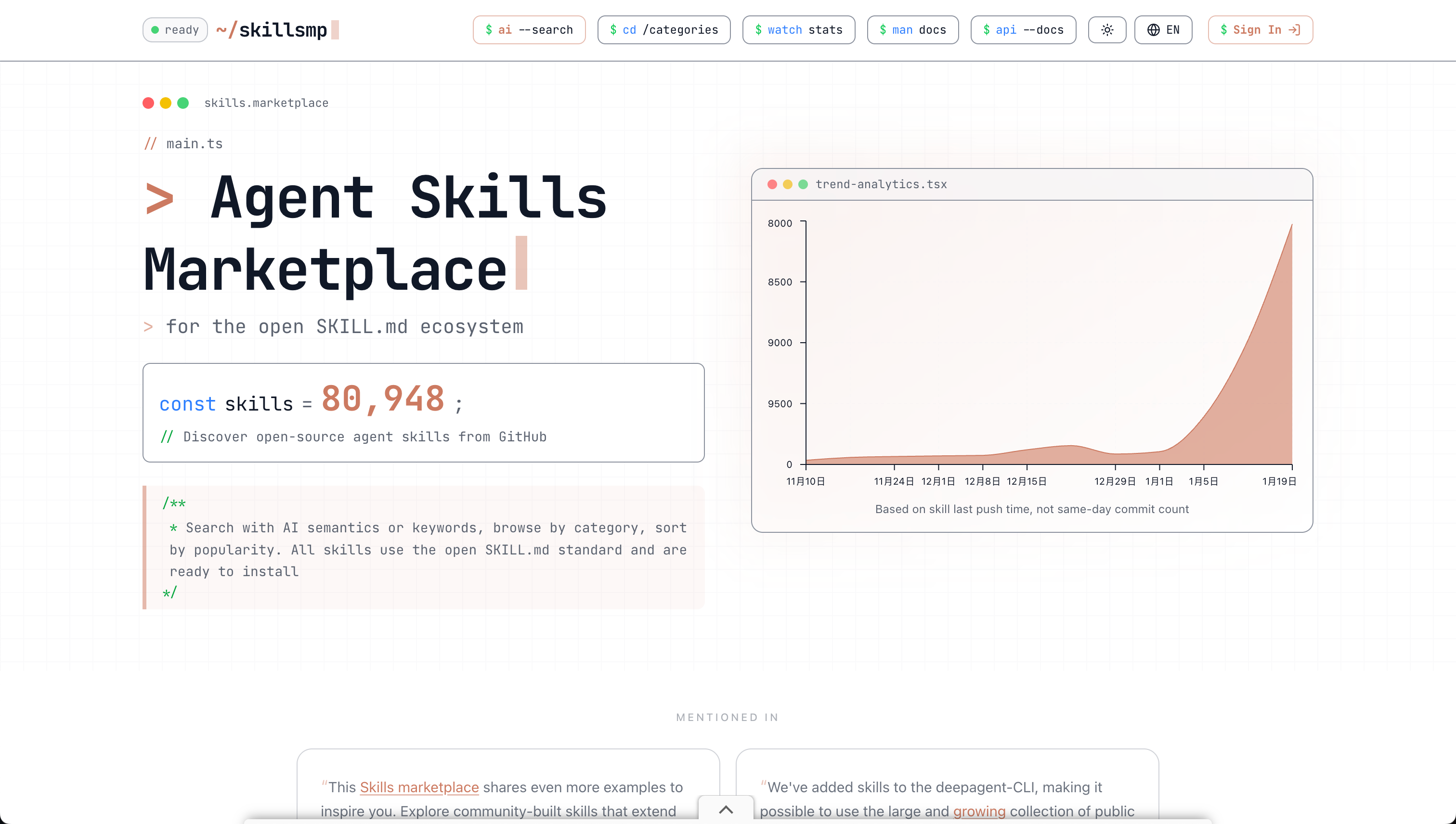
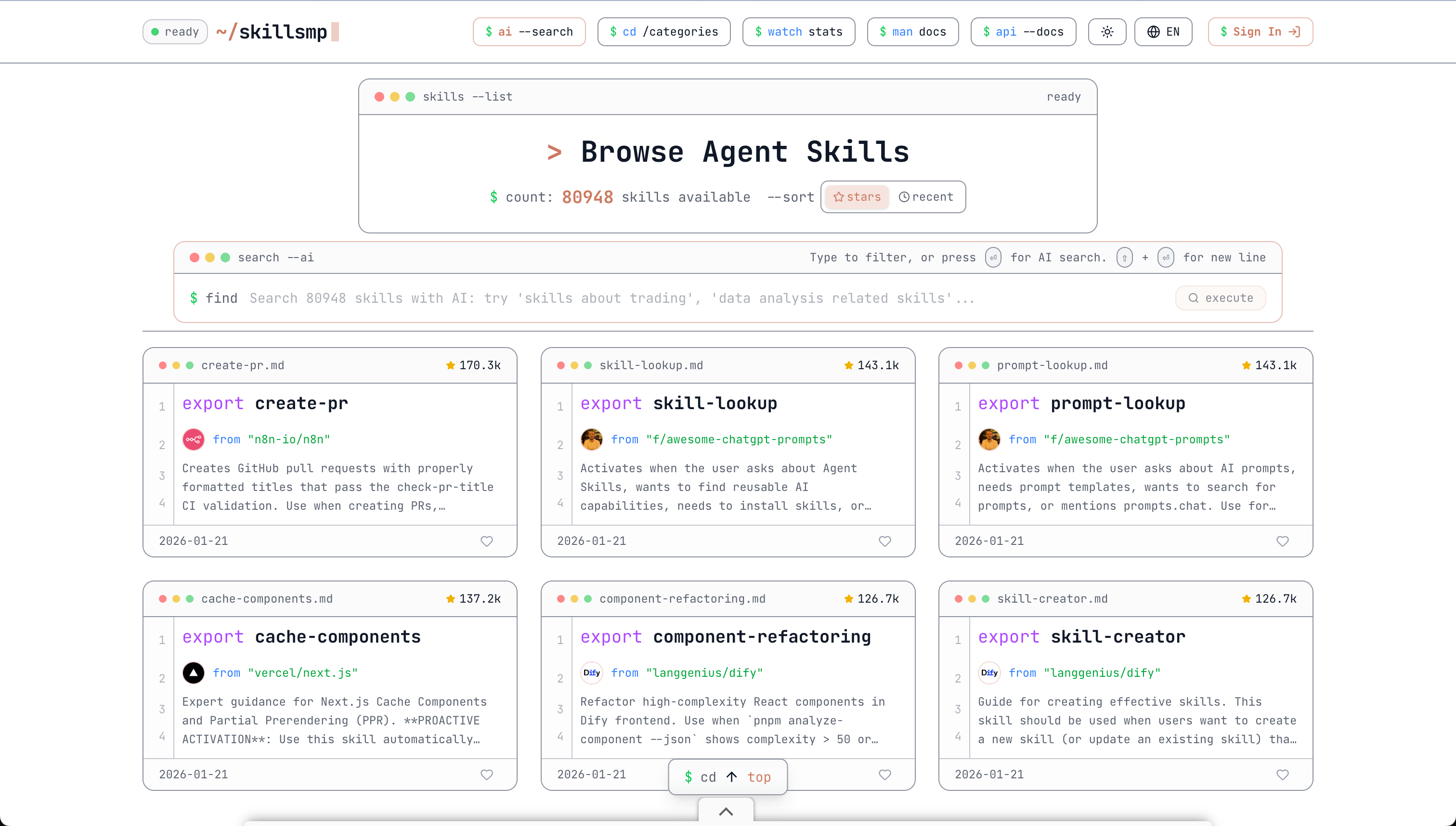
This Skills website indexes over 80,000 open-source Skills on GitHub, making it the website with the most Skills indexed to date. It supports AI semantic search and keyword filtering, as well as browsing by category and sorting by popularity.
skills.sh: https://skills.sh/